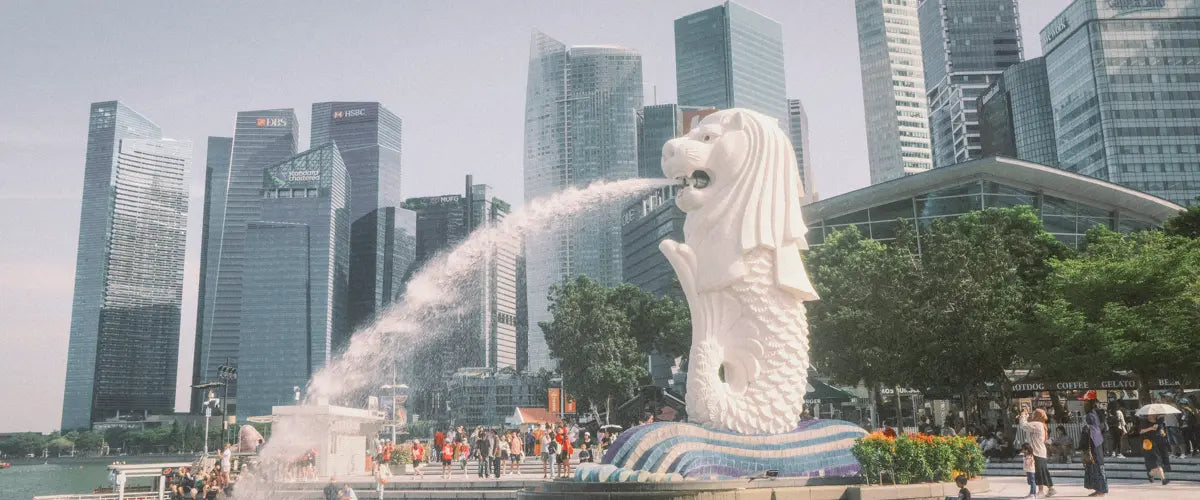
If you're heading to see the sensational sights of Singapore sometime soon, chances are, you might not want to look at your smartphone too much while you're there. However, there are plenty of good reasons why you should have your phone charged up and ready to go with mobile data — and, with a few recommended apps for your trip.
Singapore is super tourist-friendly, but take it from those of us at SIMOVO who have been there a few times already — your trip is going to be so much easier with the help of maps, travel, and food apps. Naturally, you should always have an eSIM for Asia ready to go before you start using any programs overseas — but do you necessarily know which apps are going to support you the most?
Let's dive into why apps make traveling across and enjoying the city so much easier, and which apps to download for Singapore we personally recommend.
[esim flag="🇸🇬" label="Singapore" data="10GB · 30 days" price="£10" href="/products/singapore" benefits="Instant QR setup · Reliable 4G/5G · No contract"]Stay connected across Singapore[/esim]Why apps make traveling in Singapore easier
Exploring city-states like Singapore might seem pretty easy if you've got a good nose for where to go and how to pick out the best places to stay, eat, and be entertained. However, it really doesn't hurt to ask for some extra help along the way.
The best apps to download for Singapore help you find your way across the city without the need for confusing maps — or even the need to understand the local lingo. Others will help you stay connected to travel options in case you want to get from one side to the other, or if it's late and you don't want to walk back to your hotel in the dark.
Others can even help you uncover hidden gems and recommended sights and spots to explore as a new visitor to the city. In fact, even if you're a seasoned Singapore explorer, the apps we list below will certainly help you out time and time again.
Downloading a few apps for your Singapore trip will often save you from having to do all the fact-finding yourself, giving you extra time and freedom to enjoy your vacation. It's always worth having an eSIM ready to go so you can use all of the apps we recommend without having to worry about running up huge roaming bills with your home carrier.
Best apps to download for Singapore
While we dive into each app in detail below, here are our four must-download recommendations for any trip to Singapore.
[numbered title="Grab" pill="Ride-hailing"]Singapore's go-to taxi and delivery app — like Uber, but built for Southeast Asia. Accepts cash and cashless payments, with upfront pricing before you get in the car.[/numbered] [numbered title="Google Maps" pill="Navigation"]Free, GPS-powered, and works whether you're on foot, driving, or on public transit. Data-hungry, so make sure your eSIM plan can handle it.[/numbered] [numbered title="Citymapper" pill="Public transit"]The clearest way to navigate Singapore's public transport network, with live traffic updates and transit alerts. A strong rival to Google Maps for city routing.[/numbered] [numbered title="SingPass" pill="Long stays"]Singapore's official digital identity platform. Essential for extended stays — used to access government services, book appointments, and file documents.[/numbered]Grab
Grab is a taxi-hailing app that's a little like Uber, meaning if you usually rely on your phone to get rides back home at night — or to explore new places — you'll probably find it easy to start using it right away.
What we really like about Grab is that it offers a nice range of different rides and sharing options. Not all of them are cheap (as you'd also expect from Uber, in fairness), but you at least get a nice overview of what to budget for before you get in a car.
Grab is available in English, and many drivers will accept cash and cashless payments. Like Uber, you can also hire a Grab driver to deliver food and pick up groceries if you are self-catering.
Google Maps
Google Maps is a no-brainer for whenever you travel somewhere new. You don't need a Google account to start using it, and its super-intuitive directions interface travels along with you as you explore Singapore. That means, whether you are on foot, driving, or on public transit, you'll never lose track of where you're going.
Google Maps is absolutely free to download and works via GPS. It can be quite data-intensive, so make sure you have an eSIM for Singapore that gives you a healthy stack of data to cover the trips you'd like to make.
Citymapper
Citymapper is marketed as the ultimate transport application, and it does a great job of laying out all of Singapore's handy yet sometimes confusing public transit connections.
With the app, you can simplify routes across various spots in the city, with live updates on traffic and potential transit slowdowns keeping you up to date on your estimated time of arrival. While Google Maps offers some optimal routing features, we love the way that Citymapper arranges these touches, and for some of the SIMOVO team, it's something of a Google beater.
[tip title="Download all apps before you fly"]We'd recommend trying both Google Maps and Citymapper before you go. In fact, it's good practice to download all the apps in this guide so you can get to grips with them before you depart — not after you land.[/tip]SingPass
Moving away from transport and travel, SingPass is a vital piece of software for anyone who intends to stay in Singapore for an extended period. It's the country's official digital identity platform, meaning people use it to access government portals and public services.
For example, you can use SingPass to file important documents, book doctor's appointments, and access spaces such as libraries.
[warning]If you are a non-Singapore national, there are specific documents you'll need to complete before you can use SingPass. Check the requirements for a SingPass Foreign User account before you travel if you plan to use government services during your stay.[/warning]Other apps for transport and food in Singapore
Here's a lightning-fast rundown of a few other apps to download for Singapore you'll want to make the most out of:
- Visit Singapore Travel Guide — like having a mini tour guide at your side at all times.
- Burpple — a restaurant review and booking app that helps you explore Singapore's best food and drink.
- FoodPanda — delivers food, drink, groceries, and alcohol directly to you.
- MyTransport.SG — an alternative to Citymapper for planning routes across the city via public transit. Available on App Store and Google Play.
Travel tips for Singapore visitors
Let's round things up with a few tips for anyone visiting Singapore for the first, fifth, or fiftieth time.
[warning]Always clear your tray and table after eating at hawker centres and food courts. Leaving rubbish behind is considered extremely rude in Singapore — and in some cases can result in a fine. This is one local custom worth taking seriously.[/warning] [tip title="Claim your GST refund"]Believe it or not, you may be able to claim a 9% Goods and Services tax refund when spending over $100 at specific stores and vendors in Singapore. Worth checking before you shop.[/tip]- Check out our complete Singapore guide for things to do and see in the city — great if you're new to the area or stuck for inspiration.
- Make sure to download a Singapore eSIM so you can pay for and secure your mobile data during your travels.
- Singapore benefits from a tropical climate, so dressing light is a must throughout the year.
- English is considered the main business language in Singapore — while Malay is historically the mother tongue, English is the lingua franca and widely spoken everywhere.
- If you don't use ride-hailing apps but still want a good idea of what you're likely to spend on trips around Singapore, ask drivers for trip receipts. You'll get a clearer picture of what taxi drivers charge at specific times of day.